DEVELOPMENT
How to make your phone impossible to track and keep your personal information safe.
9902
2023-02-21
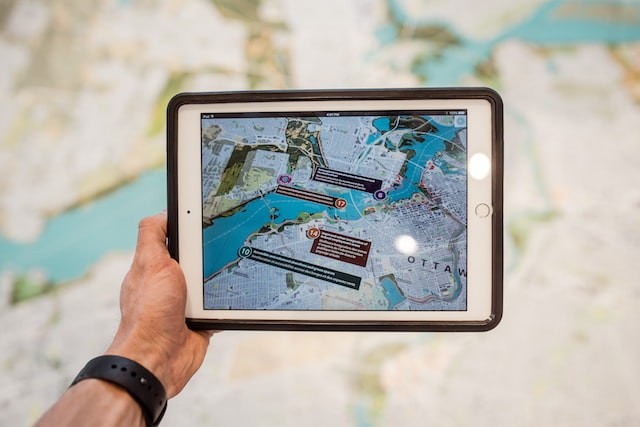




The excessive use of phones increases unsafe access to our personal information, tracks much details about our personal life. In this essay, top tips of tech experts to keep your personal information and avoid tracking online.
These days, most of us rely on our smartphones ( we are downright addicted). But do you ever think about things your phone knows about you? You may know how to tell if your computer has been hacked. But do you know about common threats to mobile security and ways of tracking info? Knowing risks may have you wondering about the ways to make your phone impossible to track.
Even the most secure phones track users in a number of different ways, including through Bluetooth, Wi-Fi, and GPS. You might think that if you have nothing to hide, you have nothing to worry about. But in today's data-driven economy, your information is worth a lot. Thats why you might want to avoid tracking. Maybe you don't want people to make money off of your data, or you're worried about falling your personality information into the wrong hands.
Stephanie Benoit Kurtzm faculty chair in the College of Information Systems and Technology at the University of Phoenix , according to Reader's Digest, said that mobile location technology can be useful when searching for the nearest gas station or restaurant, but it can also enable others to retrieve information about where you are, legally or illegally. Users rarely read the fine print associated with what is being tracked, and sharing in that small print can be some very disturbing trends — everything from tracking your device's location at all times to sharing information from your device, such as other installed apps, contacts, text messages, and messages. E-mail".
Smartphone tracking
You might think of the people who track your smartphone as shadowy figures aiming steal your identity, your money, or even both. But there is a whole host of people and organizations that track smartphones, and it's not just hackers.
Smartphone tracking can be either active or passive. Active tracking, which uses GSM, 3G or 4G, is sometimes called a man-in-the-middle attack. It is illegal in most countries but may be employed by law enforcement agencies and government security agencies investigating a specific threat.
Instead, passive tracking uses Bluetooth, Wi-Fi, and GPS signals to approximate the user's location. Different applications on your phone use these methods like location tracking apps and services that help parents monitor their children. The attackers collect your data for the purposes of developing their business and marketing or selling it with the highest price.
The Wall Street Journal reported in 2020 that the Department of Homeland Security bought data taken from smartphones to be used by US Immigration and Customs Enforcement (ICE) to track illegal immigrants. By the way, Advertisers may use your data to show you targeted ads, and sometimes some governments buy location data for their purposes.
How to make it impossible to track your phone

Although government and law enforcement agencies always can track your phone if they want to, there are ways to minimize mobile security threats, avoid spyware, delete your digital footprint and make your phone impossible to track by apps.
Let's take a look at the best practices for keeping your personal information safe and protecting your phone from tracking
Turn off your phone
Even if you have the best security apps on your iPhone, the most effective way to stop your phone from being tracked is just to turn it off.
Brandon Wilkes, Marketing Director at The Big Phone Store says, “If you're concerned about your activity being tracked and recorded, simply remove the means by which companies can do so, and your device will have its own isolated ecosystem,”.
Clearly this comes with the very real annoyance of not being able to use your phone at all, and is probably not a practical solution for most people, but if you want to use this method, first back up your phone to another computer before you lock it so you can access data.
Turn on flight mode
This solution is a quick and useful one if you want to stop passive tracking of your phone. Of course, turning on airplane mode means that you will not be able to make calls or use the internet on your device.
Baruch Laponski, CEO of Rank Secure, a digital marketing firm says, "The easiest way to prevent your phone from being tracked is to change a few settings." The fastest and best way to do this is to turn on the Airplane Mode option. This turns off the cellular and Wi-Fi radios installed inside your phone so it can't connect to networks."
Would you like to try it on? Go to Settings and toggle on Airplane Mode to activate it on your iPhone or Android phone.
Turn off location settings
Turning off location-based features on your phone can prevent GPS tracking. Switching to Airplane Mode will do this for you, but you can also turn off GPS tracking as an isolated feature on many devices, allowing you to continue using your phone to make calls and access the Internet more freely and securely.
Nick Donarsky, co-founder and chief technology officer of Computer Support Services and ORE System Inc. says, "Google, Apple and Samsung all store and record your movements through your phone's GPS functionality."
To turn off location settings on your iPhone or iPad:
Go to Settings
Select Privacy
Click on Location Services
Toggle Location Services to off
To turn off location settings on Android:
Open the App Drawer
Go to Settings
Choose a location
Enter Google Location Settings
Turn off “Location Reporting” and “Location History.”
You can also select Delete Location History to remove all previous tracking data
Turning off location settings will remove the functionality of some apps and online services, for example map apps won't be able to give you directions from here to there, and they won't be able to show you closest restaurants to your location.
Use a secure search engine
Did you think about what Google knows about you and what all those cookies are up to? Some lesser-known browsers work in a similar way to VPNs, allowing you to browse through them without any tracking.
Try downloading and using Onion Browser for iOS and Tor for Android. "These browsers can increase user privacy and prevent tracking from third parties by encrypting your information and transmitting it through servers that mask your IP address," says Wilkes. "They also contain plugins that prevent web pages from using JavaScript and that can track user activity."
You may also delete yourself from Google searches if you are intent to get off the radar.
Monitor app permissions
When you download any app on your phone, it first asks for permission for its tracking activities. If you do not want a particular app to track you, you must decline these permissions immediately.
If you have an iPhone, you can also view the app's permissions by accessing your privacy report. Go to "Settings" and "Privacy" and then (at the bottom) "App Privacy Report". You'll need to tap Run an app privacy report to see how your apps use your data.
Wilkes says "The service allows users to monitor when their location is tracked, as well as when apps can use body sensors or view contacts, messages, calls, and calendar." At the user's freehand, it decides whether the application is reliable enough to access this data.
Fortunately, if you don't want a particular app to track your data, you can prevent it in a few simple steps.
Prevent Apps from Tracking on iPhone:
Go to Settings
Click Privacy
Click Tracking
Turn off Allow Apps to Request to Track to stop all apps from tracking you
Alert: You can also grant or revoke tracking access to certain apps by toggling the switch next to the app in the menu below the Allow apps to request tracking field.
Prevent apps from tracking on your Android device:
Go to Settings
Select Locations
Tap App Locations Permissions
Select apps individually and change the permissions to Allow all the time, Only when using the app, Ask every time, or Don’t allow
Why should you care about app permissions? “Every app, software, and technology that is installed and integrated with your mobile devices has intimate access to our personal lives, whereabouts, and even our personal activities through our photos,” Donnarski says. “The real answer to protecting ourselves is to isolate ourselves from technology. But since that won't happen, vigilance, education, and extra vetting of the apps, messages, and links we visit on our mobile devices are the key elements to securing yourself and your data.”
Install updates

How to protect your phone from tracking and keep your personal information safe
Install the latest operating system for your phone and the latest version of any apps you have. Updates often come with bug fixes and smartphone security improvements that better protect your data, especially if you make the right privacy options.
Be selective about what you install
Just because the app is free doesn't mean it doesn't cost you anything. Free apps make their money by showing you ads or selling your data to third parties such as data brokers. Use the web version instead of the mobile version when possible, and always look carefully at the lowercase letters before installing anything on your phone.
“Before installing an app, you should understand exactly what the app does, what information the app collects, and what information is shared with that organization or third parties,” says Benoit Kurtz. "The Acceptable Use Agreement, or End User Agreement, is important. This small print covers things like information about location data collection, how it is collected, and then what is done with that information."
Disable ad tracking and personalization
Ad tracking allows companies to serve you personalized ads that are more attractive to you and more likely to lead to sales for the company. But this requires companies to collect data about you, such as your browsing and shopping habits and your physical location. Disabling cross-site tracking in your browser will reduce this snooping.
If you have an iPhone, go to Settings, then scroll down to find the web browser of your choice. Click on your browser's name, then scroll down to the "Prevent cross-site tracking" field. Toggle this to "On" to turn off cross-site tracking on that browser.
On an Android device, you can prevent Chrome from collecting or tracking your data by taking a few steps: In the app, tap the three dots to the right of the address bar, then tap Settings. Select "Privacy and Security" and then "Do Not Track". Turn this off to stop ad tracking.
To further restrict tracking, adjust your Apple or Android ad settings.
On your iPhone, go to Settings, Privacy and Apple Ads, then turn off Personalized Ads. If this feature is enabled on your Android device, go to Settings, Privacy, and Delete Advertising ID.
Avoid public Wi-Fi networks
Public Wi-Fi networks, such as those in coffee shops and airports, are not very secure and are more vulnerable to malware attacks, snooping, and network interception. They also collect personal data from you, such as your name, date of birth and email address, before you can use the Service. The more personal information you provide, the more data you have.
As you have seen, there are many ways to make it impossible to track your phone, but all of them involve some kind of sacrifice in functionality. The people who really hold the power here are the ones who run the telecom companies.
We must all be proactive in pushing these companies to better protect consumers, says Grant Gibson, executive vice president of CIBR Ready. “We should all be engaged and motivated to solve these challenges using every possible channel to protect ourselves,” he says.
#security # data # smartphone # privacy # hack # tracking # threats